Colors
There is a macro in Secondary Toolbars - Fonts called Fontcolor which is very handy when you want to change a hexidecimal color number.
On the page we just created the text was black which was ok while the page was white but when we changed the background to a dark green it just didn't stand out.
We had to change the hexidecimal numbers in the < body > tag to make it work but you can change the color of a selection of text right on the page with Fontcolor.
Working on page2.html we will change the color of the heading.
Highlight the text 'My Second Page' and click the Fontcolor macro.
Choose a color you like from the grid or if you want to be more precise use one of the other tabs and then click 'OK'.
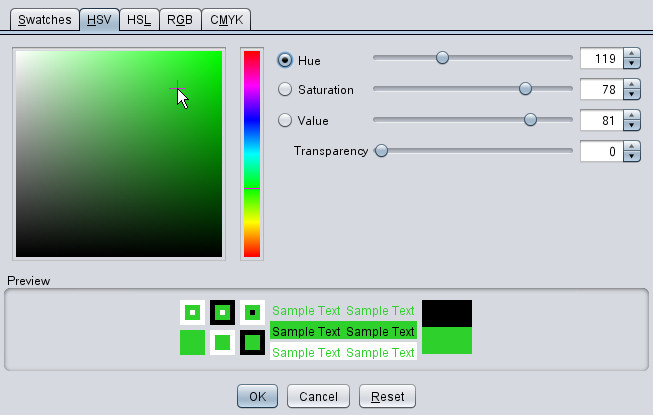
You will see the code has been put on like so.
<div align="center"><H1 ><font style="color:#2ed02c">My Second Page</font > </H1 ></div >
Fonts
To begin with you must know that in order to see a font on a web page the computer viewing the page must have that font installed.
This is probably why the creator of Arachnophilia decided not to put a macro on the tolbar.
You can make your own macro if you like with your favorite font.
I have found that even some seasoned webmasters are surprised when I tell them that the font they specify on a page will possibly only show on their own computer.
The problem lies with HTML composers that allow special fonts to be chosen with no warning that if the viewing computer does not have the font it will revert to the default which is usually 'Times New Roman'
Problems arise when a script type of font is specified because those fonts need to be enlarged in order to appear normal size. If you have ever viewed a page where the text was huge it would be because you did not have the specified font on your computer.
Best to stick to the basic few that are universal.
Times New Roman, Arial, Verdana, Comic Sans MS
The way to specify a font is in the <font > tag with the variable face=""
<font face="times new roman">Your Text</font>
If you really want to specify a font and it is the same size as a normal font you can give a second and third choice by adding them with commas between like this.
<font face="BlackChancery, Diploma, Verdana">Your Text</font>
Depending on the computer this could appear in any of the next 3 ways.

Since these are at least similar in size the damage is not terrible but personally I prefer to know exactly what people see and if I want a heading in a special font I put it in a graphic.
In HTML if you do not specify a size of font you get the default size 2 and Arachnophilia has included an easy way to change up or down with the font macros 'Font+1', ' Font+2', 'Font-1' and 'Font-2'
This means that the statement <font size="3" > is the same as <font size="+1" >
Before we leave the subject of font size we must cover the heading fonts. When you stipulate a heading <h1></h1>
you get a set size of font and a paragraph break so that nothing else can be added to the line.
Here are the sizes.
H1
H2
H3
H4
H5
H6
The font color variable above can also be included in any <font> tag.
You can stack several font tags together or put everything in one.
<
font
style=
"color:#2ed02c"
size=
"1"
face=
"times new roman"
>
My Second Page
<
/font
>
<
font
style=
"color:#2ed02c"
>
<
font
size=
"1"
>
<
font
face=
"times new roman"
>
My Second Page
<
/font
>
<
/font
>
<
/font
>
Back Next
