Before you start make sure you have the server FTP address, your id and your password handy.
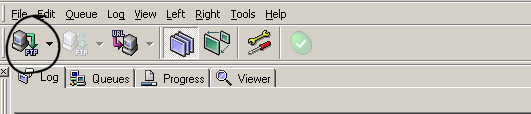
When you first open AceFTP the 'Site Profiles' panel should be open but in case it isn't click this button.
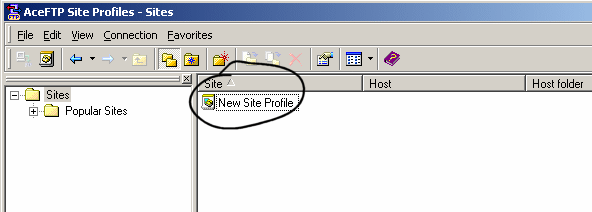
This is what the 'Sites Profiles' panel looks like.
Click on the 'New Site Profile' Button
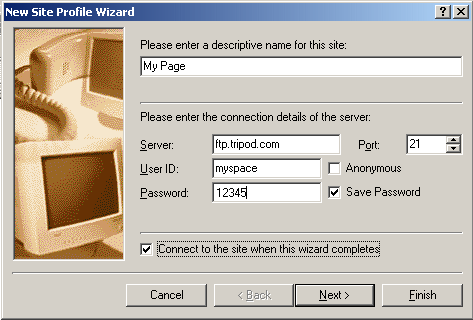
Set up with your own information
Where I have 'My Page' you can put anything you like but the other entries must be correct.
Click 'Next'
To save yourself time in the future you can set the profile
to open at the correct folder on your computer.
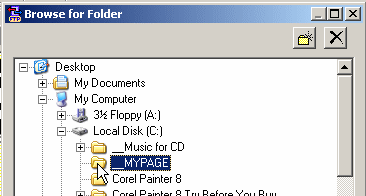
Click on the button with the dots.
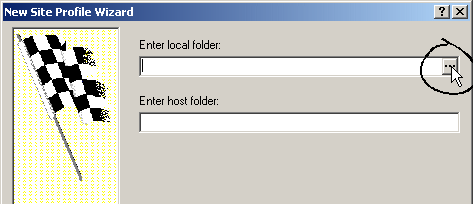
Browse to your folder - Click OK and then click finish.
If you have set up everything correctly you will now connect with your site on line.
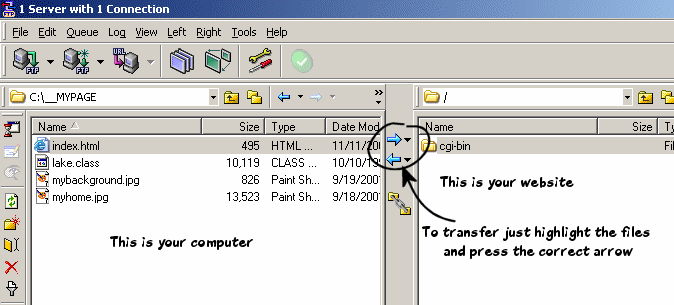
That is all there is to it.
You can now easily transfer files to or from your website.
Highlite the 4 files on the left (your computer) and click the arrow to the right.
You will now be able to see your page online.